
Okay, let’s talk about the ‘Chart of Accounts’. I know, it’s not the most thrilling part of running a business. It’s one of those bookkeeping terms that can make your eyes glaze over, but stick with me, because this is important.
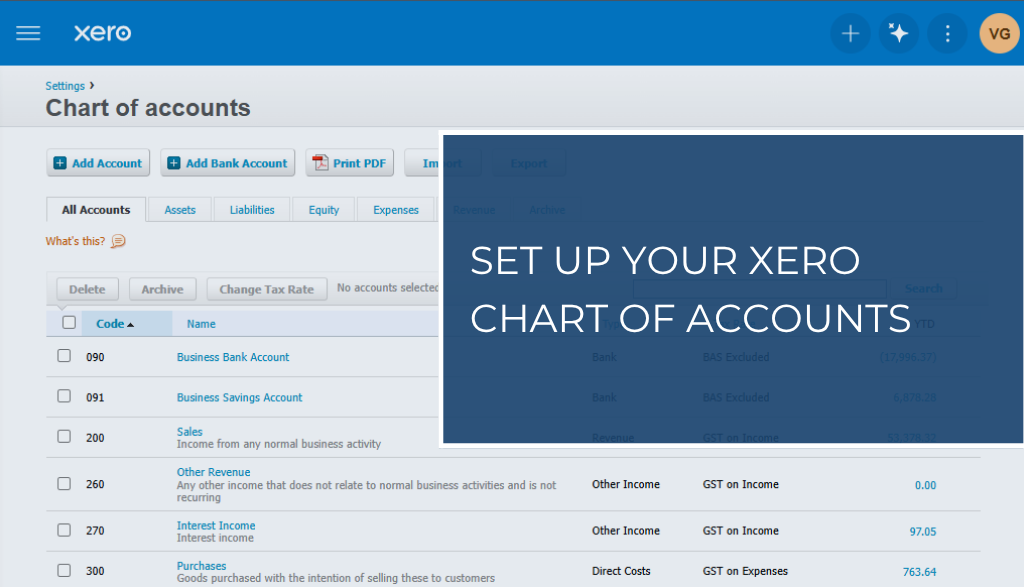
Getting this one thing right in Xero is like building solid foundations for a house. Do it properly, and everything else becomes stronger and easier to manage. Do it wrong, and you’ll be dealing with financial cracks for years.
In my previous post, I discussed how your Chart of Accounts (COA) is a comprehensive list of all the financial categories your business uses to track where money comes from and where it goes. Think of it as the index for your business’s financial storybook. Without a good index, you’re just flipping through pages randomly, hoping to find the info you need.
Why Xero’s Default List is a Good Start, But Not the Finish Line
When you create an account in Xero, it asks you what industry you’re in. And this is where Xero is actually pretty clever. It doesn’t just hand you a generic, one-size-fits-all list of accounts. The Xero Chart of Accounts is based on your answer and already tailored to a business like yours, with categories for subcontractors and materials ready to go from day one.
Honestly, for most small trade businesses, especially when you’re just getting established, this default list is a brilliant starting point. It’s a solid, well-thought-out foundation that will cover your bases, keep your reporting tidy, and make your accountant’s life easier at tax time. You can absolutely run a successful business using this list without any problems.
But as your business grows and becomes more complex, you’ll have specific costs and income streams that a generic list doesn’t cover properly.
What to do? Take the base model Xero gives you and turn it into a high-performance tool perfectly fitted to your business.
A customised COA helps you:
- See your true job profitability. A well-structured Chart of Accounts separates the costs of doing the work (like materials and subbies) from the costs of running the business. This allows you to see a clear Gross Profit, which tells you if your pricing and quoting are on the money.
- Make tax time less of a nightmare. When everything is categorised correctly throughout the year, your accountant won’t have to spend (and bill you for) hours untangling a mess.
- Make smarter decisions. Should you buy that new excavator? Can you afford to hire another apprentice? Your COA will give you the clear numbers you need to answer these questions with confidence, not just a gut feeling.
How to Customise Your Xero Chart of Accounts for a Trade Business
The goal here isn’t to create a thousand different accounts. The goal is clarity. Here are the key areas to focus on for a trade business.
Your Income (The Good Stuff)
Don’t just lump everything into one “Sales” account. You’re losing valuable information that way. Split your income into categories that actually mean something to you.
Labour & Service Fees – The income you earn from your time and your team’s time on the job.
Call-Out Fees – A distinct income stream that’s good to track on its own.
Consulting fees – If you charge for your expert advice, project planning, or detailed quotes, give this its own category.
Equipment Hire Income – If you hire out any of your own gear, give it its own account.
Your Direct Costs (The Cost of Doing the Job)
These are the costs directly tied to a specific job. If you didn’t have the job, you wouldn’t have the cost. This is the most important section to get right for job costing and understanding your Gross Profit.
Some accounts to create are:
Materials & Supplies – Everything from timber and copper pipe to screws and silicone.
Subcontractor Costs – What you pay your subbies. This is a big one.
Equipment Hire – The cost of hiring that scissor lift or mini-digger for a specific job.
Vehicle Fuel & Running Costs – You can allocate a portion of your vehicle costs here if you track it per job.
Your Expenses (The Cost of Keeping the Lights On)
These are your overheads. You have to pay them whether you’re flat out with work or having a quiet week.
Good examples for tradies include:
Advertising & Marketing – Website costs, Google Ads, local paper ads.
Insurance – Public Liability, WorkCover, Vehicle insurance, etc.
Software Subscriptions – Your Xero bill, any job management software (like ServiceM8 or AroFlo), etc.
Telephone & Internet – Your mobile and office connection.
Tools & Equipment (Small) – For smaller tool purchases that aren’t big enough to be an “Asset.”
Wages & Super – The fixed salaries of any admin staff and your own wage.
Note: Wages for your techs on the tools can sometimes be a Direct Cost, but let’s keep it simple for now.
A Final Word of Advice
Getting this set up correctly from the start is a game-changer. It turns your Xero from a simple data-entry tool into a powerful business intelligence machine.
My biggest tip? Don’t go overboard. Start with the main categories listed above. You can always add more later if you feel you need more detail.
And if you’re looking at your current Chart of Accounts and it feels like a tangled mess of extension cords, don’t stress. It can be cleaned up. It’s far better to invest a small amount of time (or money for a bookkeeper) to fix it now than to keep making decisions based on dodgy data.
Need a hand whipping your accounts into shape? That’s what I’m here for. Get in touch so we can get your Xero working for you, not against you.
Cheers,
Val